A few years ago, I signed up for a “free PDF download” on some random productivity blog. You know the type — big orange button, “Enter your email to get instant access.” I typed in my real Gmail address without thinking twice.
Within 48 hours, my inbox was a disaster. Daily newsletters I never asked for. A “weekly digest” that arrived four times a week. Promotional emails from three other companies I’d never heard of. Apparently, that “free resource” came bundled with my email address being sold to half the internet.
I unsubscribed from everything. Some of them actually stopped. Others just kept coming, as if the unsubscribe button was purely decorative.
That was the moment I started taking throwaway email addresses seriously.
So What Actually Is a Disposable Temporary Email?
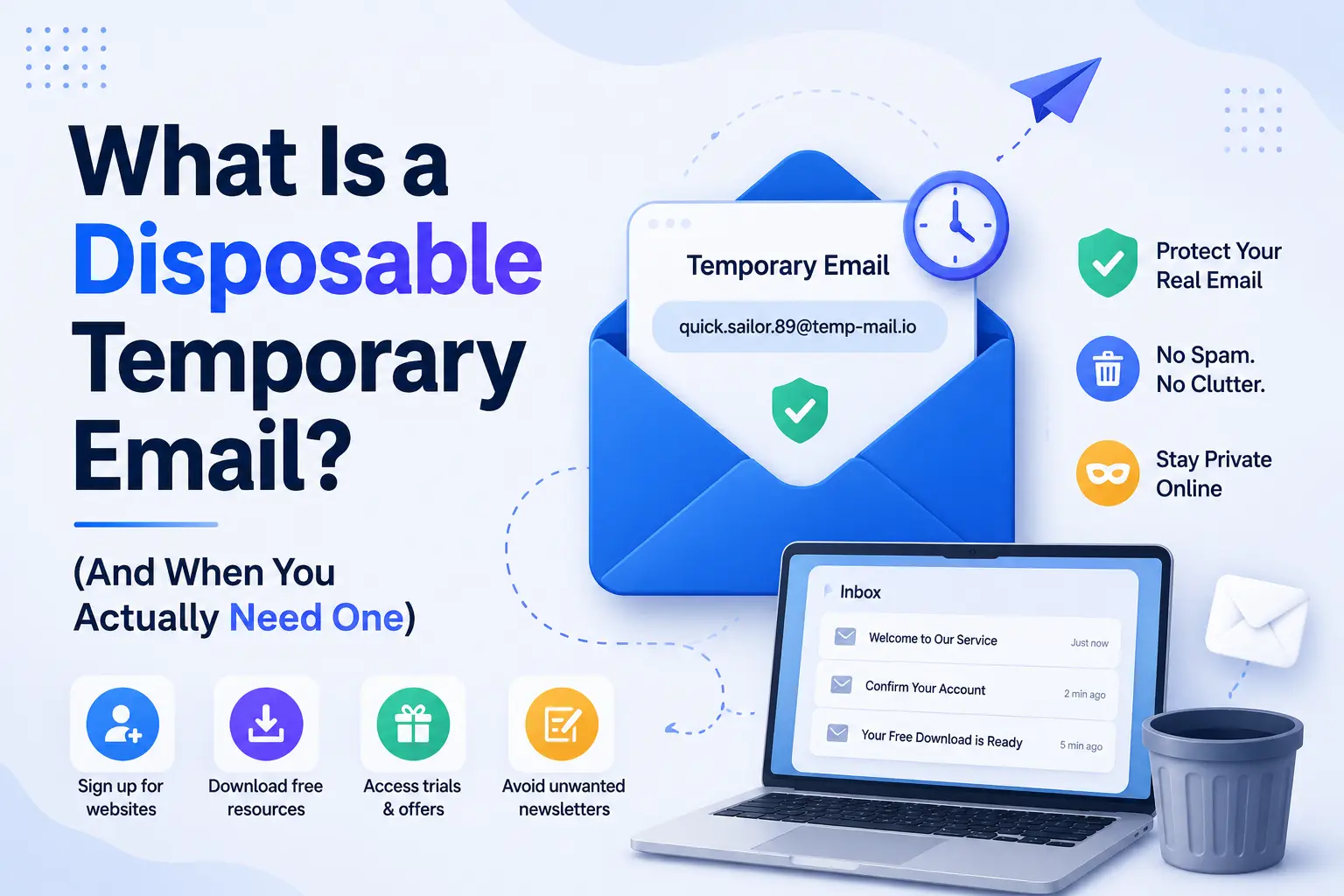
Here’s the simple version: it’s a real, working email address that you can use to receive emails — but it’s not yours. It belongs to a service that generates it on the spot, holds your messages for a short time (minutes, hours, or days), and then deletes everything automatically.
No signup. No password. No connection to your identity whatsoever.
You open the website, an address appears — something like mango47291@tempmail.org — and that’s it. You use it wherever you need to verify an email address, receive the confirmation link, and then never think about it again.
The inbox is usually visible right there on the page. You refresh it, the email arrives, you click your link, done. The whole thing takes under a minute.
The Situations Where This Actually Saves You
Once I started using temp emails regularly, I found myself reaching for them constantly. Here are the scenarios where they’re genuinely useful:
Signing up for a free trial you’re not sure about. You want to test a SaaS tool, but you’re not ready to hand over your real email and get dripped on for the next year. Temp email gets you in the door without the baggage.
Downloading gated content. Whitepapers, ebooks, templates — so much useful stuff is locked behind a form that requires your email. If the content is genuinely useful, great. If not, you haven’t sacrificed anything.
Forum registrations you’ll use once. You need to post one question on a niche tech forum. You’re not building a long-term presence there. Why create another account tied to your real identity?
Testing your own apps or email flows. This one is underrated. If you’re a developer and you want to see what your welcome email actually looks like in an inbox, a disposable address is faster than switching accounts or creating test users.
Avoiding sketchy Wi-Fi “free access” portals. You know those hotel or café login pages that ask for your email before letting you connect? Yeah. Disposable address, every time.
I Stopped Giving Real Websites My Real Email. Here’s What I Use Instead.
The Tools I’ve Actually Used
Not all disposable email services are equal. A few have been consistently reliable in my experience:
Temp Mail (temp-mail.org) — Probably the most widely known. Clean interface, auto-generates an address the moment you land on the page, inbox refreshes automatically. Works well on mobile too.
Guerrilla Mail (guerrillamail.com) — Been around since 2006, which in internet years makes it ancient and trustworthy. Lets you choose your username and even compose outgoing emails, which is occasionally useful.
Mailinator (mailinator.com) — Popular with developers and QA testers. The free tier uses shared public inboxes (anyone can read them if they know the address), but there’s a paid version with private inboxes. Great for automated testing workflows.
10 Minute Mail (10minutemail.com) — Does exactly what the name promises. The address expires in 10 minutes, though you can extend it if you need more time. Good for quick one-off verifications.
Inboxes in browsers extensions — There are also browser extensions like Burner Emails and SimpleLogin (now owned by Proton) that let you generate disposable aliases right from your browser toolbar. SimpleLogin is especially good if you want something more permanent and privacy-focused — it forwards emails to your real address without exposing it.
How to Use One (Step by Step)
If you’ve never done this before, here’s the actual process:
- Open the temp email site in a new tab. I usually keep Temp Mail or Guerrilla Mail bookmarked.
- Copy the generated address. It’s right there, usually at the top of the page.
- Go to whatever site is demanding your email. Paste the temp address into the email field and complete the signup or download.
- Come back to your temp email tab. Wait a few seconds, then refresh the inbox. The confirmation email should appear shortly.
- Click the link or grab the code. Do whatever you needed to do.
- Close the tab and forget about it. The address will either expire on its own or sit dormant — either way, nothing reaches your real inbox.
That’s genuinely it. Faster than creating a throwaway Gmail account, and no credentials to remember.
Mistakes I Made (So You Don’t Have To)
Using a temp email for something I actually needed long-term. This is the big one. I once used a throwaway address to sign up for a service I ended up actually liking. Six months later, I’d completely lost access to my account because the temp email was long gone and there was no way to receive a password reset. Lesson: if there’s any chance you’ll want the account again, use a real address.
Assuming temp email works on every site. Some websites — particularly larger platforms like Google, Airbnb, or banking services — actively block known disposable email domains. They maintain blacklists and will reject your signup with an error like “please use a valid email address.” In those cases, you’re out of luck with standard temp mail services. Alias services like SimpleLogin are harder to detect and might work better.
Using a public Mailinator inbox for anything semi-sensitive. Free Mailinator inboxes are literally public. Anyone who types in your address can read your mail. I used one to receive a coupon code once and didn’t really think about it — harmless in that case, but if I’d been receiving anything that mattered, that would’ve been a problem.
Forgetting the tab was still open. Minor, but if you’re on a shared computer and you walked away from a Temp Mail tab, someone else could theoretically see whatever came into that inbox. Not a big deal most of the time, but worth being aware of.
What It Doesn’t Solve
Disposable email is a great tool for a specific job. But it’s not a privacy silver bullet.
Your IP address is still visible to the website. Your browser fingerprint doesn’t change. If you’re logged into Chrome or Safari, your browsing might still be tracked across sessions. If real anonymity is what you need — say, for research on a sensitive topic — temp email is just one piece of a larger puzzle that also includes a VPN, a privacy-focused browser, and careful attention to what personal details you volunteer.
Also, spam often finds other routes. If a site has your real phone number, they’ll SMS-market to you regardless of what email address you gave them.
A Habit Worth Building
The mental shift I eventually made was simple: every time I’m about to hand over my email to a new website, I ask myself one question — will I actually want to hear from these people?
If the answer is “probably not,” temp email. If the answer is “yes, I want their updates,” real email. If I’m unsure, I use an alias service that forwards to my real inbox, so I can disable it later without losing access to the account.
It takes about four extra seconds and has saved me from hundreds of hours of inbox management over the years.
Spam will find a way regardless. But there’s no reason to make it easy.
7 thoughts on “What Is a Disposable Temporary Email? (And When You Actually Need One)”