Three years ago, I signed up for a free Canva account.
Nothing crazy — just needed to make a quick presentation. I typed in my real Gmail, verified, and moved on. Within two weeks, I was getting emails from Canva, their “partner offers,” a design newsletter I’d never heard of, and a promotional blast from a font website I’d definitely never visited.
I’d given my email to one company. Somehow four were now writing to me regularly.
That was the moment I started taking burner emails seriously. And honestly, it’s one of those small habits that quietly improves your digital life in a way that’s hard to explain until you’ve experienced it.
So What Exactly Is a Burner Email?
A burner email is a temporary email address you use instead of your real one whenever you need to sign up for something, verify an account, or download a resource — but you don’t actually want that company to be able to reach you afterward.
The name comes from “burner phones” — the prepaid phones people use when they don’t want calls traced back to them. Same idea, different channel.
You use it once (or a few times), and then it’s gone. No connection to your name. No link to your real inbox. No way for that website to keep emailing you, sell your address to advertisers, or add you to a marketing drip campaign you didn’t ask for.
A burner email isn’t a fake email that doesn’t work — it’s a real, functional inbox that actually receives messages. The difference is it’s completely disposable.
Burner Email vs. Temp Mail vs. Email Alias — What’s the Difference?
People use these three terms interchangeably, but they’re actually different tools. Worth knowing which is which.
Temp Mail is the broadest category — any email address designed to be thrown away. Services like TempMailPro generate one instantly, no signup required. You get a working inbox for a few hours or days, use it, and leave.
Burner Email specifically refers to a throwaway address you use for short-term purposes — signups, verifications, one-time downloads. Same concept as temp mail, just the informal name people use in everyday conversation.
Email Alias is a more permanent solution — a forwarding address that routes to your real inbox. Tools like SimpleLogin or Apple’s Hide My Email do this. The alias is permanent, and you can disable it if the sender gets annoying. More sophisticated than a burner, but requires setup.
For quick, one-time use? Burner email / temp mail is all you need. For ongoing accounts where you want to stay reachable but protected? An alias makes more sense.
Why People Use Burner Emails in 2026
The honest answer: because the internet has made handing over your real email address riskier than it used to be.
Every signup is a potential spam source. Every “free resource” download is a potential mailing list addition. Every website that stores your email address is a potential data breach waiting to happen.
None of this is hypothetical. Data breaches exposed billions of email addresses in the last few years alone. Once your email is in the wild, it gets bought and sold between spam lists for years.
A burner email doesn’t solve every privacy problem — but it cuts off one of the most common entry points.
Here are the situations where people reach for one most often:
Free trial signups. You want to test a tool for a week. You don’t want their nurture sequence in your inbox for the next two years.
Downloading gated content. PDF guides, templates, ebooks, whitepapers — all require an email for access. A burner gets you the file without the follow-up.
Forum or community registrations. You need to post one question on a niche forum. You’ll never come back. Burner email handles the verification.
Online shopping on unfamiliar sites. First-time order from a store you’re not sure about. Burner email for the order confirmation, nothing else.
Wi-Fi portal access. Hotel or café login pages that ask for your email before letting you connect. Classic burner email use case.
App testing (for developers). You’re building something and need to test your own email verification flow. Burner email addresses let you run that test without creating real user accounts.
How to Get a Burner Email in Under a Minute
This is the part that surprises most people the first time — there’s nothing to install, no account to create, no payment required.
Here’s how it works with TempMailPro:
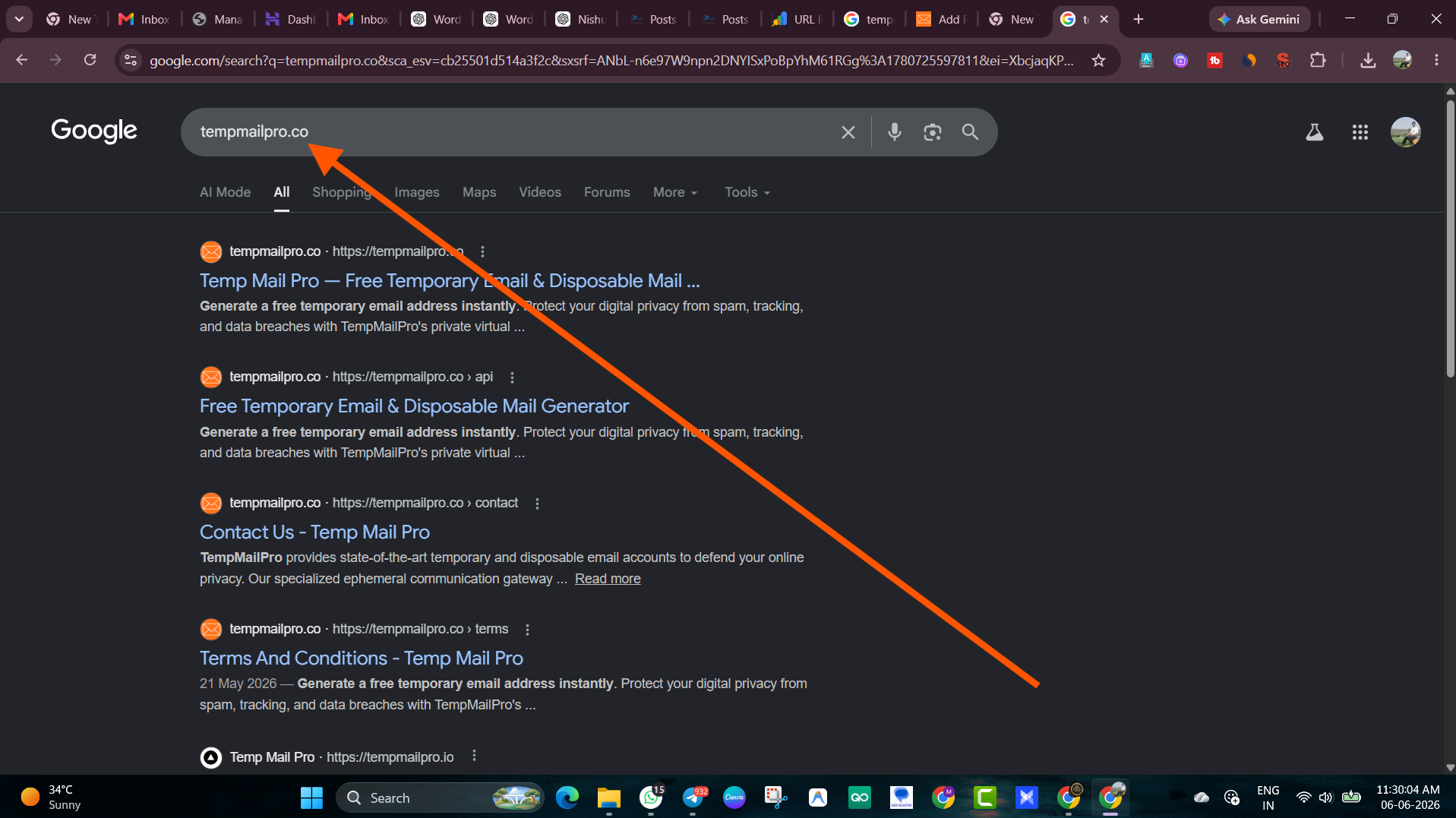
Step 1: Go to tempmailpro.co
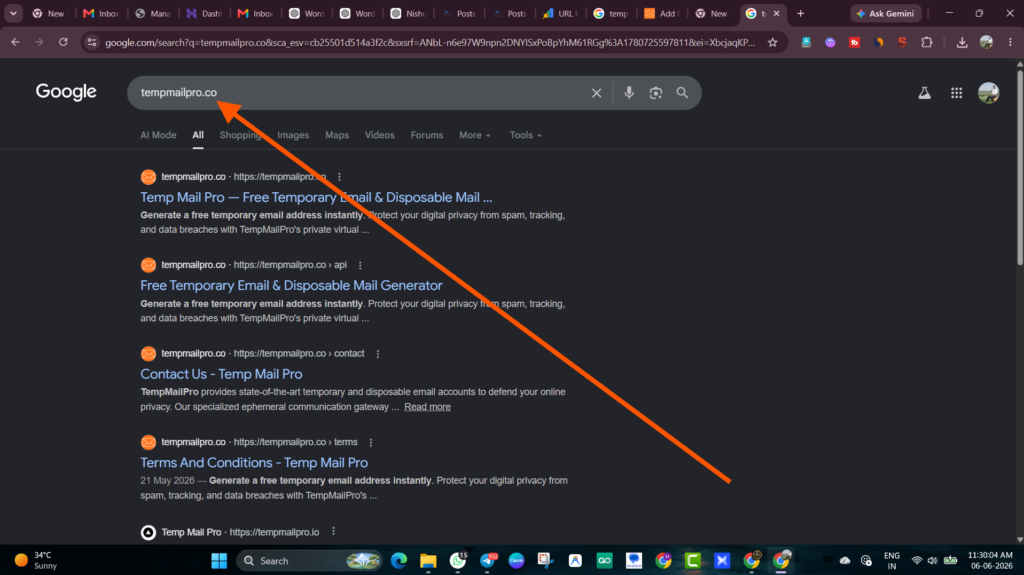
Step 2: A burner email address is automatically generated for you the moment the page loads. Something like xk48m@tempmailpro.co. It’s ready to use immediately.
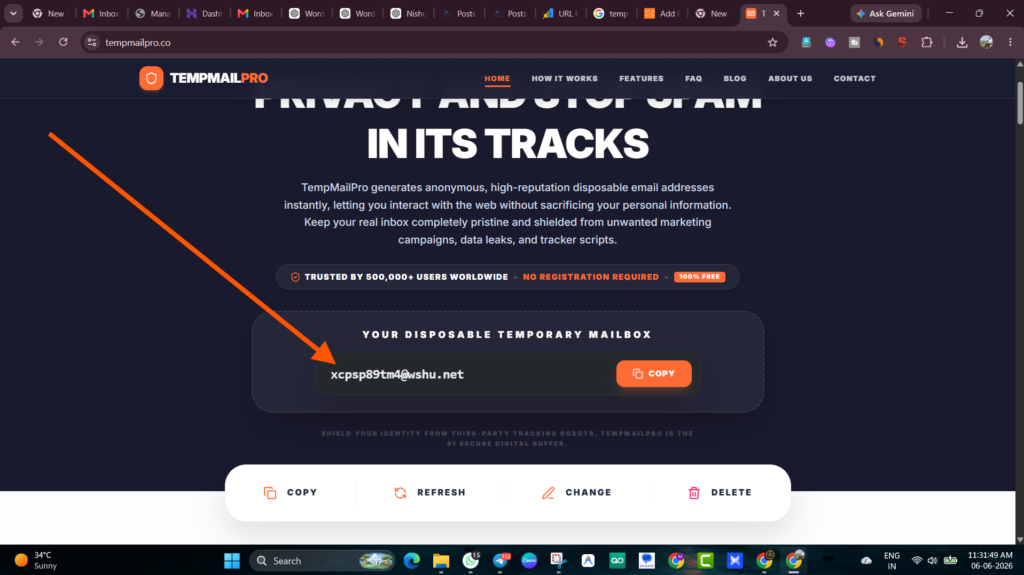
Step 3: Copy that address. Go to whatever website is asking for your email. Paste it into the signup or verification field.
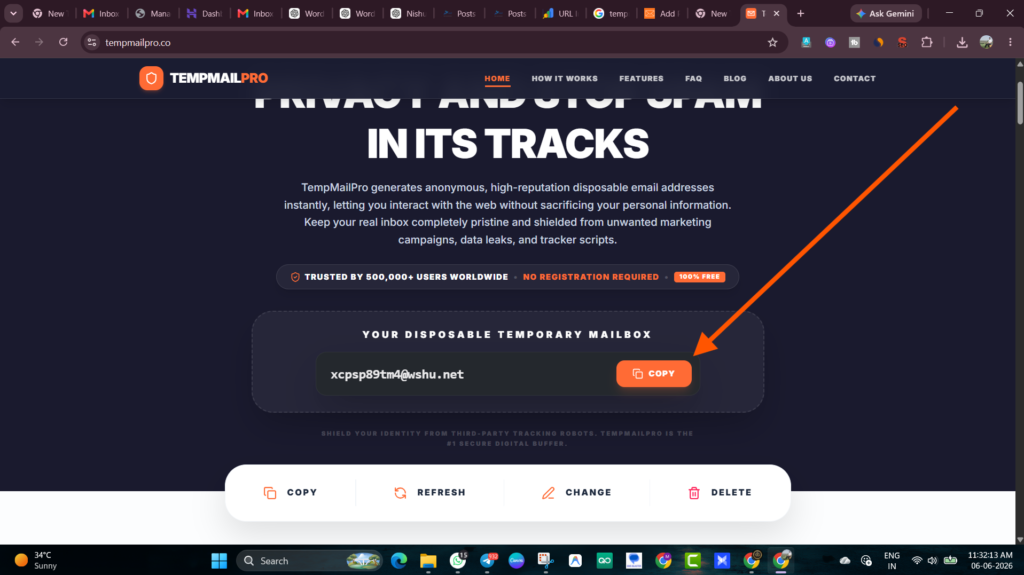
Step 4: Come back to TempMailPro. Your inbox is right there on the page. Refresh it — the confirmation email or OTP code will appear within seconds.
Step 5: Use the link or code. Done.
The whole thing takes about 60 seconds. The address works for hours. Then it expires cleanly, and nothing can reach you through it anymore.
No account. No password. No personal information ever required.
What Can You Actually Receive on a Burner Email?
Everything a normal email address can receive:
- Account verification emails and OTP codes
- Password reset links (for accounts you created with that address)
- Download links and access confirmation emails
- Newsletter welcome emails (to see what you’re getting before committing your real address)
- Order confirmations from unfamiliar shops
What you generally won’t want to use it for: anything where you’ll need long-term access. Because once the burner expires, any recovery or login emails sent to it are gone.
Mistakes People Make With Burner Emails
Using a burner for accounts they end up actually caring about.
This is the most common one. You sign up “just to check it out” and then genuinely start using the service. Two months later, you need to reset your password — and the burner email that received the verification code is long gone. No recovery possible.
The fix: if there’s even a small chance you’ll want the account long-term, use your real email or a permanent alias.
Clicking “unsubscribe” in spam emails instead of using a burner in the first place.
Unsubscribing from legitimate senders is fine. But clicking unsubscribe in emails from senders you don’t recognize can actually confirm to spammers that your email address is active — making the spam worse. Burner email removes you from this game entirely because you were never in it.
Thinking a burner email makes them completely anonymous online.
A burner email hides your email address. It doesn’t hide your IP address, browser fingerprint, or any other identifying information you volunteer on the signup form. It’s one privacy layer, not a complete shield. For deeper anonymity, you’d layer it with a VPN and a privacy-focused browser.
Using a burner on a site that blocks disposable email addresses.
Some larger platforms — especially social networks and financial services — maintain blocklists of known disposable email domains. They’ll reject your signup with a “please use a valid email” error. In those cases, an alias service (like SimpleLogin or addy.io) is harder to detect and might work better.
When Should You Use Your Real Email Instead?
Burner emails are a tool for specific jobs. They’re not a replacement for your real email everywhere.
Use your real email (or a permanent alias) for:
- Your bank, investment accounts, and any financial services
- Your primary work tools and SaaS subscriptions you rely on
- Government or identity-linked services
- Any account you’d genuinely want to recover if you lost access
- Services where two-factor authentication links to email
The rule I use: if losing access to this account would be annoying or harmful, real email. If it wouldn’t matter at all, burner email.
Is Using a Burner Email Legal?
Yes — completely. Protecting your own email address from spam and unwanted marketing is entirely within your rights in most countries, and burner email services are legitimate privacy tools used by millions of people daily.
Some useful context: privacy regulations like GDPR in Europe and various data protection laws globally actually give users the right to control how their personal data is used. Using a burner email is simply exercising that right at the source.
The only situations where it becomes problematic are if you use a burner email to impersonate someone, commit fraud, or violate a platform’s terms of service in ways that harm others. For everyday privacy protection — free trials, downloads, signups — there’s nothing questionable about it whatsoever.
The Habit That Changed How I Use the Internet
The mental shift I made was small but it stuck: before handing my email to any website, I ask myself “do I actually want to hear from these people?”
If the answer is yes — real email.
If the answer is no, or I’m not sure — burner email.
That two-second check has kept my actual inbox relatively clean for the past two years. I get emails from people and services I want to hear from. The promotional blasts, the partner offers, the “we noticed you haven’t logged in” sequences — none of that reaches me.
Getting a burner email takes less time than filling in a captcha. Once you start using one, you’ll wonder why you ever handed out your real address so freely.
Further Reading
- What is a Disposable Temporary Email? — Our full breakdown of how disposable email works and when to use it
- How to Clean Your Inbox From Spam — 7 methods that actually work if your inbox is already a mess
- Best Browser Extensions for Email Privacy in 2026 — Tools that protect you beyond just the email address itself
- Electronic Frontier Foundation — Email Self-Defense — Nonprofit guide to digital privacy best practices
- Have I Been Pwned — Check if your real email has already appeared in a data breach
- SimpleLogin — If you need permanent email aliases that forward to your real inbox (Proton-owned, open source)