There’s a specific kind of frustration that comes from signing up for something online.
You find a free tool you want to try. You click the signup button. A form appears asking for your name, your email address, and sometimes your phone number. You know the moment you type your real email, you’re agreeing to receive their newsletter, their “product updates,” their promotional offers, and eventually emails from their “trusted partners.”
You haven’t even used the tool yet. You’re already dreading what comes next.
I’ve been in that exact spot hundreds of times. And the solution I landed on — a random email generator — is so simple that I feel slightly ridiculous about how long it took me to discover it.
What Is a Random Email Generator?
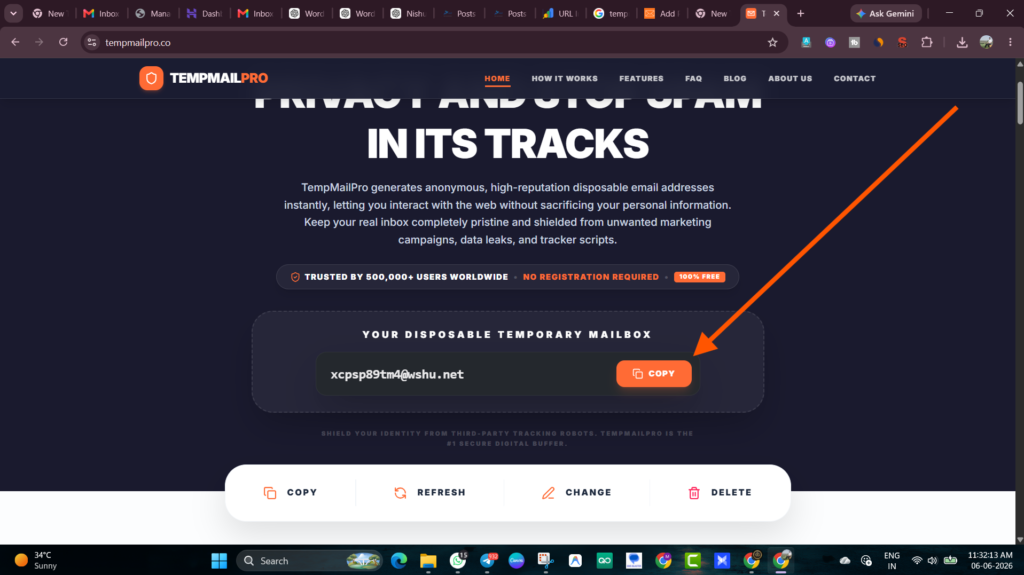
A random email generator is a tool that instantly creates a working email address — something like kp94m@tempmailpro.co — that you can use to sign up for websites, receive verification codes, and complete registrations without ever touching your real inbox.
The address is randomly generated. It’s not connected to your name, your identity, or your real email account in any way. But unlike just typing a made-up address into a form and hoping for the best — this one actually works. Emails sent to it arrive in a real inbox that you can view right in your browser.
No app to download. No account to create. No payment required. You open the page, the address appears, and it’s ready to use immediately.
The Difference Between a Random Email and a Fake Email
This is worth clarifying because people confuse the two constantly.
A fake email address — like typing noone@nowhere.com into a signup form — doesn’t work for verification. The website sends a confirmation email to that address, it bounces or goes nowhere, and you can’t complete the signup. Most websites now require you to confirm your email before giving you access. A made-up address breaks that flow.
A random email from a generator like TempMailPro is different. It’s random-looking, yes — but it’s backed by a real inbox. When a website sends a verification email to kp94m@tempmailpro.co, that email actually arrives. You can read it, click the link, complete the verification, and get access to whatever you signed up for.
Same end result as using your real email. Zero impact on your actual inbox.
Why Would You Need a Random Email Address?
If you’ve never used one, the use cases might not be obvious at first. Here’s where people reach for them most often:
Free trials and tool testing. You want to try a piece of software for a few days before deciding if it’s worth paying for. You sign up, test it, and if you don’t like it — no follow-up emails. If you do like it, you create a real account with your actual email.
Downloading gated content. Ebooks, templates, whitepapers, research reports — valuable content that’s locked behind an email form. A random email address gets you the content without getting you added to a drip campaign.
Signing up on websites you’re unsure about. You’ve found a site that looks useful but you’re not entirely sure it’s trustworthy. A random email lets you test it without risking your real address in case their data practices are questionable.
One-time forum or community access. You have a specific question you need answered on a forum you’ll likely never visit again. Signing up with a random email gets you access without a permanent account tied to your real identity.
Wi-Fi portals. Hotel lobbies, airport lounges, cafés — so many require an email address before letting you connect. A random email generator handles this in seconds.
App and website development testing. Developers use random email addresses constantly to test registration flows, onboarding sequences, and transactional email systems. TempMailPro works perfectly for this — generate an address, send a test email through your app, verify it arrived correctly.
How to Use a Random Email Generator (Step by Step)
The process is genuinely fast. Here’s how it works with TempMailPro:
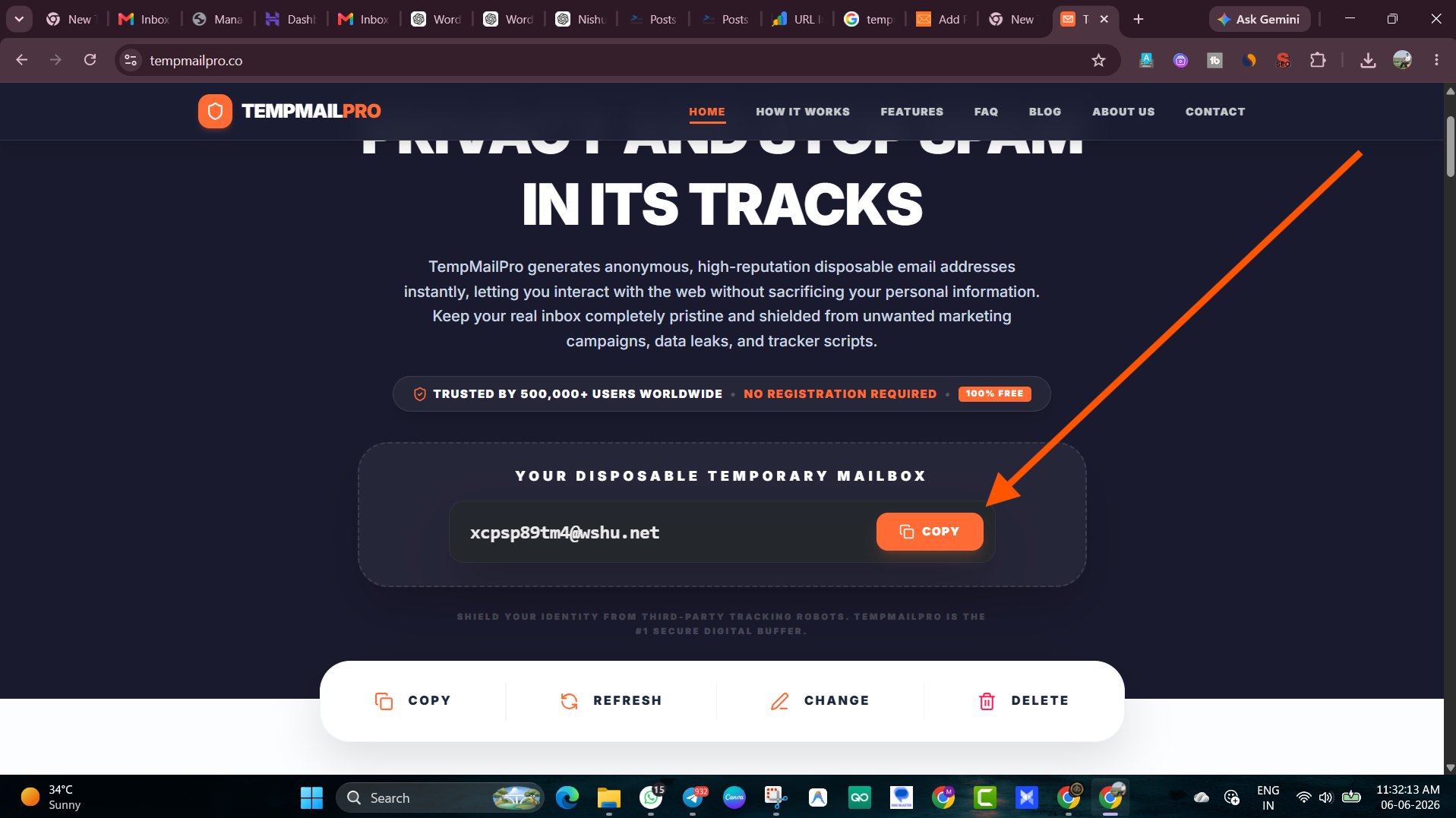
Step 1: Open TempMailPro Go to tempmailpro.co. The moment the page loads, a random email address has already been generated for you. No buttons to click, no forms to fill.
Step 2: Copy the address The random address is displayed prominently at the top of the page. Copy it — one click.
Step 3: Use it on the website requiring verification Go to the site you’re signing up on. Paste the random email into the email field. Complete the rest of the form and submit.
Step 4: Return to TempMailPro and check the inbox Switch back to your TempMailPro tab. Within 10–30 seconds, the verification email from the website will appear in the inbox. No refresh needed — it updates automatically.
Step 5: Complete your verification Click the confirmation link or copy the OTP code. You’re verified and have access.
Total time: Under 90 seconds. Often less.
How Long Does a Random Email Address Last?
This varies by service, but most temporary email addresses stay active for a few hours. TempMailPro keeps your address alive long enough to complete whatever you need.
The address doesn’t get “reused” by another user immediately — there’s a gap between when one user’s address expires and when it might be reassigned. So you don’t need to worry about someone else reading your verification emails while you’re mid-signup.
After the address expires, any emails sent to it simply go undelivered. There’s no inbox to receive them anymore.
What You Can and Can’t Do With a Random Email
You can:
- Receive any kind of email — newsletters, verification codes, OTPs, download links, welcome emails
- Click links in those emails
- Use the inbox to complete account verifications on most websites and services
- View email content including HTML-formatted emails
You can’t:
- Send emails from a random generated address (TempMailPro is a receiving inbox, not a sending service)
- Use it for accounts you’ll want to access long-term — the address expires
- Recover accounts created with it once the address is gone
- Use it on platforms that actively block known disposable email domains
That last point is worth expanding on. Some major platforms — certain social networks, financial services, gaming platforms — maintain blocklists of disposable email domains. If you try to use a random email address on one of these, you’ll see a “please use a valid email address” error. For those cases, an alias service like SimpleLogin is a better option — aliases look like regular email addresses and forward to your real inbox.
Random Email for Students — What Works and What Doesn’t
Students often search for random email generators hoping to get access to student discounts and .edu-gated services. Worth being clear about what works here:
Works fine: Signing up for general services, testing student-facing apps, registering on academic forums, downloading research papers from open-access sites.
Doesn’t work: Services that specifically verify .edu email addresses (GitHub Student Pack, Notion Education, certain software discounts). These require a real .edu address from your university — a random generated address won’t pass that verification.
For student temp mail needs that don’t require .edu verification specifically, a random email generator handles everything perfectly.
The Privacy Angle — Why This Actually Matters
Some people think using a random email address is overly cautious — “it’s just a newsletter, who cares?”
Here’s why it matters more than it seems:
Email addresses are data. Every company that has your email address can do several things with it: email you directly, include it in targeted ad campaigns (Facebook and Google both allow targeting by email), share it with business partners, or expose it in a data breach.
Breaches are common. Have I Been Pwned — a free, trusted tool — lets you enter your email address and see which data breaches it’s appeared in. Most people are surprised to find their email in multiple breaches from companies they barely remember signing up for.
Once shared, hard to unshare. Unsubscribing from a mailing list stops the emails but doesn’t remove your address from their database. It’s still there. It can still be breached. It can still be sold.
A random email address that expires never becomes part of that permanent record.
Random Email vs. Creating a Second Gmail Account
A common alternative people consider: just making a throwaway Gmail for junk signups.
It works, but the comparison isn’t really even:
| Random email generator | Second Gmail account | |
|---|---|---|
| Setup time | 5 seconds | 5–10 minutes |
| Phone number needed | No | Sometimes (Google asks) |
| Linked to Google/identity | No | Yes — Google account |
| Expires automatically | Yes | No — you manage it |
| Good for quick OTPs | Instant | Yes but slower |
| Works everywhere | Most sites | More widely accepted |
| Long-term use | No | Yes |
For one-off verifications and quick OTP checks, a random email generator is significantly faster and requires nothing. For a more permanent secondary identity — one you’ll actually maintain and check — a dedicated secondary email account makes more sense.
Most privacy-conscious people end up using both: a random email generator for truly throwaway moments, and a secondary account for things they want to keep but separate from their main identity.
Mistakes to Avoid
Closing the tab before completing verification. Once you close the TempMailPro tab, you lose access to that inbox. The address still technically exists for a while, but you can’t get back to it without the tab open (unless you noted the address and revisit the site). Keep the tab open until you’ve clicked every link you need to click.
Using a random email for accounts you’ll actually care about. Happens more often than you’d think — you sign up “just to look around” and end up genuinely using the service. When the password reset email eventually goes to an expired inbox, you’re locked out. If you find yourself actually liking something you signed up for with a random email, switch to a real account before the address expires.
Assuming it works on every website. It doesn’t — see the blocked domains point above. Have a backup plan (alias service) for the times when a platform rejects disposable addresses.
Sharing sensitive personal information on a form that only required email verification. A random email address protects your inbox. It doesn’t protect any other information you fill in on the form. If a website is asking for things beyond an email verification — be thoughtful about what else you share, regardless of what email address you use.
The Habit That Actually Sticks
The reason random email generators work as a long-term habit is that they add almost no friction.
The worst versions of “privacy protection” require you to slow down significantly, install things, manage settings, make decisions. People abandon those habits within a week.
Opening TempMailPro, copying an address, and pasting it into a form takes maybe 15 extra seconds compared to typing your real email. That’s a low enough cost that it’s easy to do consistently.
And consistency is the whole thing. One signup with a real address where you meant to use a random one can land you on a list you spend months trying to unsubscribe from. The habit, done every time, is what keeps things clean.
More From TempMailPro
- What Is a Burner Email? Complete Guide — Everything about disposable email and when to use it
- What Is a Fake Mailer? — The different meanings explained, including developer email testing tools
- How to Clean Your Inbox From Spam — If your real inbox is already a mess, here’s the fix
- Best Browser Extensions for Email Privacy — Tools to protect you beyond just the email address
Trusted External Resources
- Have I Been Pwned — Free tool to check if your email appeared in a data breach
- SimpleLogin — Proton-owned alias service for permanent forwarding addresses
- Electronic Frontier Foundation — Privacy Guide — Nonprofit digital privacy guidance
- Google Safety Center — Tips on protecting your Google account and email